Reliability & Recovery
Long conversations and long-running agent responses should survive the ordinary mishaps of a distributed system — a double-click, a flaky network, a backend worker restarting during a deploy. Orchestra is built so a single intent produces a single run, failures are surfaced instead of swallowed, and an interrupted response can be picked back up. This page explains the reliability behavior you can rely on as a user.
Double-submit protection
If you click Send twice, or press Enter twice before the assistant starts replying, Orchestra dispatches your message once, not twice. A rapid duplicate of the same message within a short window is recognized and ignored, so you never end up with two assistant replies competing in the same thread.
The same guarantee holds on the backend: if the message queue happens to deliver the same run more than once (an "at-least-once" delivery, common in distributed task systems), the duplicate is detected and dropped before any work is repeated. One message in, one run out.
Failure surfacing and replay
When a run hits a permanent failure — something that won't succeed on a retry, such as a rejected request or an unrecoverable backend error — Orchestra does not leave the conversation spinning silently. The failed run is recorded in a dead-letter store, and the chat surfaces a clear error card with a Replay button:
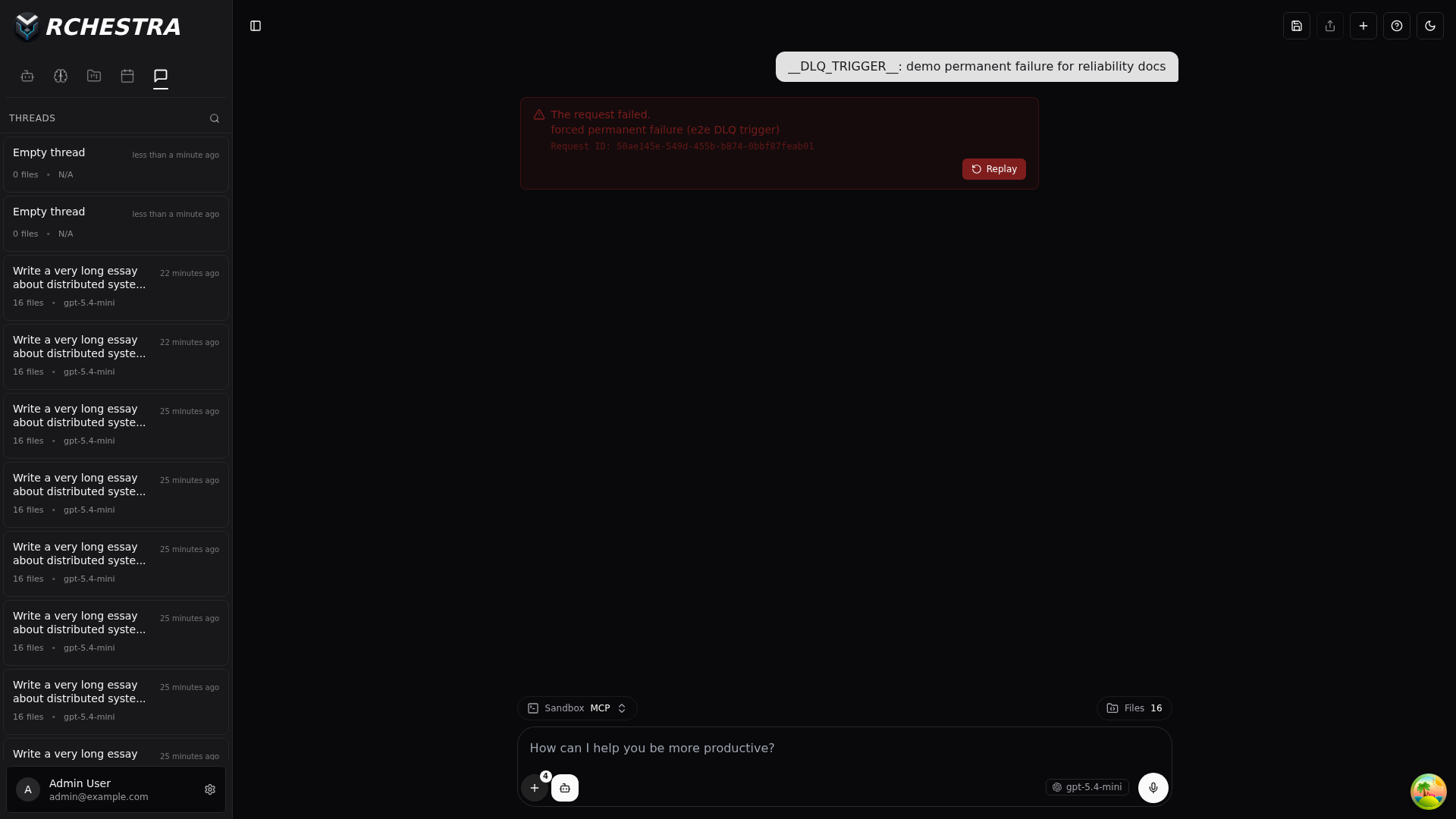
Pressing Replay re-runs the stored job — you don't have to retype your message or refresh the page. Transient problems (a dropped database connection, a momentary network blip) are handled differently: those are retried automatically in the background and never reach the dead-letter store.
Request IDs for support
Every error card carries a Request ID (shown in the card above). This is a correlation identifier that is bound to your run from the moment it starts and threaded through the backend logs for that run. If you ever need to report a problem, include the Request ID — an operator can use it to trace exactly what happened to your specific request across the API and the background worker.
Resuming after a disconnect
Agent responses stream token-by-token, sometimes for a long time. If the connection drops mid-stream — your network hiccups, or a backend worker is restarted during a deployment — Orchestra is designed so the run is not lost:
- The interface lets you know the live connection was lost rather than freezing on a half-finished response.
- When you reload the thread, Orchestra checks whether that run is still active and reattaches to the stream from where it left off, restoring the response from its saved checkpoint.
Behind the scenes, workers advertise a liveness signal and drain gracefully on shutdown — a worker that is going down stops accepting new runs and lets in-flight ones finish, so a routine restart doesn't strand your conversation.
On mobile
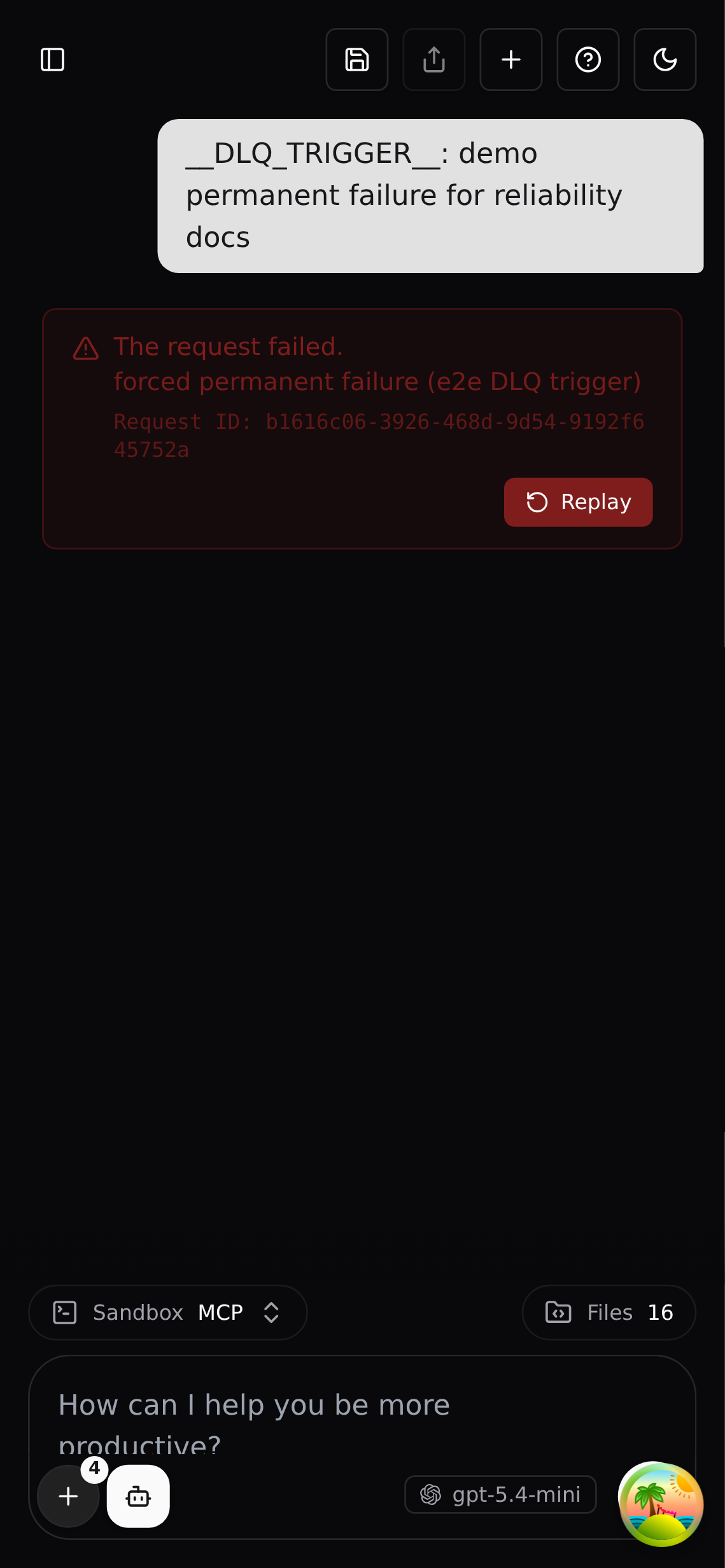
All of the above behaves the same on a phone-sized screen — the error card, the Replay action, and stream recovery are all responsive.
Summary
| Situation | What Orchestra does |
|---|---|
| You double-submit a message | Dispatches it once, not twice |
| A run permanently fails | Shows an error card with a Replay button |
| A transient error occurs | Retries automatically in the background |
| You hit an error and need help | Share the Request ID from the error card |
| The connection drops mid-response | Reload the thread to resume from checkpoint |
| A worker restarts during a deploy | In-flight runs finish; your run isn't lost |