Epics
Epics let you organize and track larger initiatives by grouping related tasks together. Use them to plan features, track progress, and keep your work structured.
Overview
- Task Organization: Group related tasks under a single epic
- Status Tracking: Track task progress with To Do, In Progress, Done, and Blocked states
- Progress Summary: See at a glance how many tasks are complete
- Search & Filter: Quickly find epics by name or description
Creating an Epic
- Navigate to the Epics page from the sidebar
- Click the + button in the top-right corner
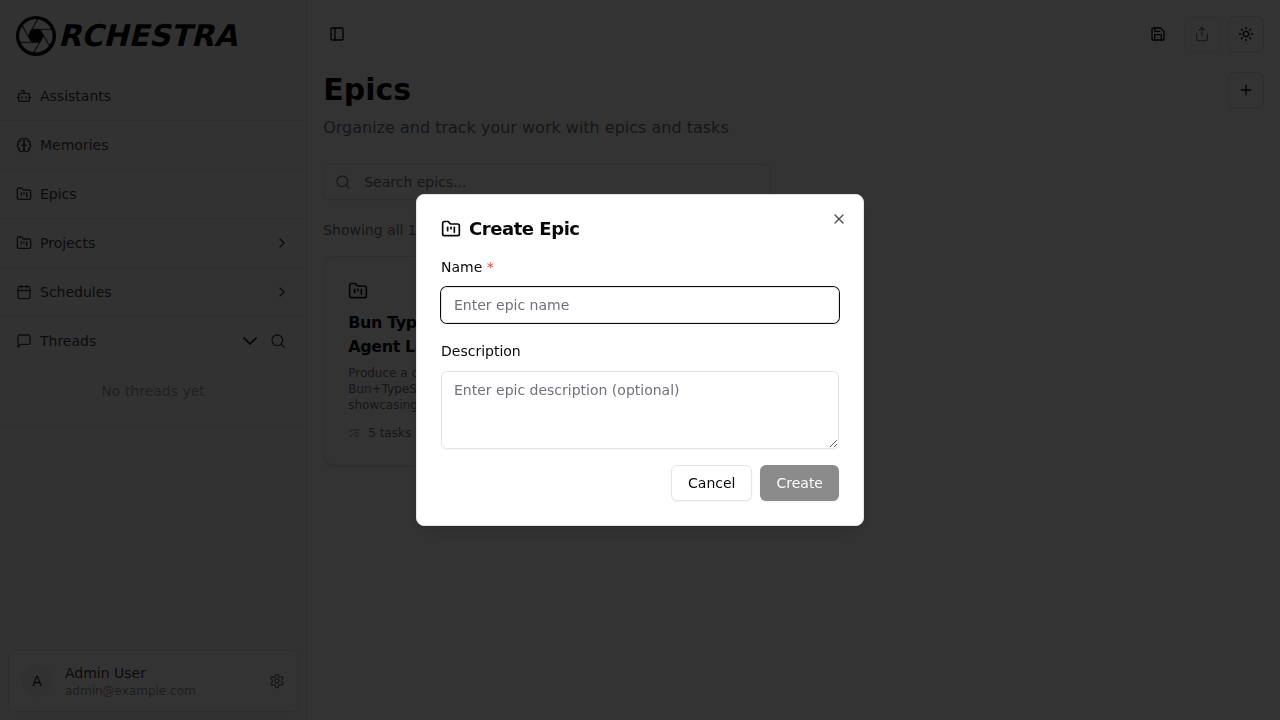
- Enter a Name (required) and optional Description
- Click Create
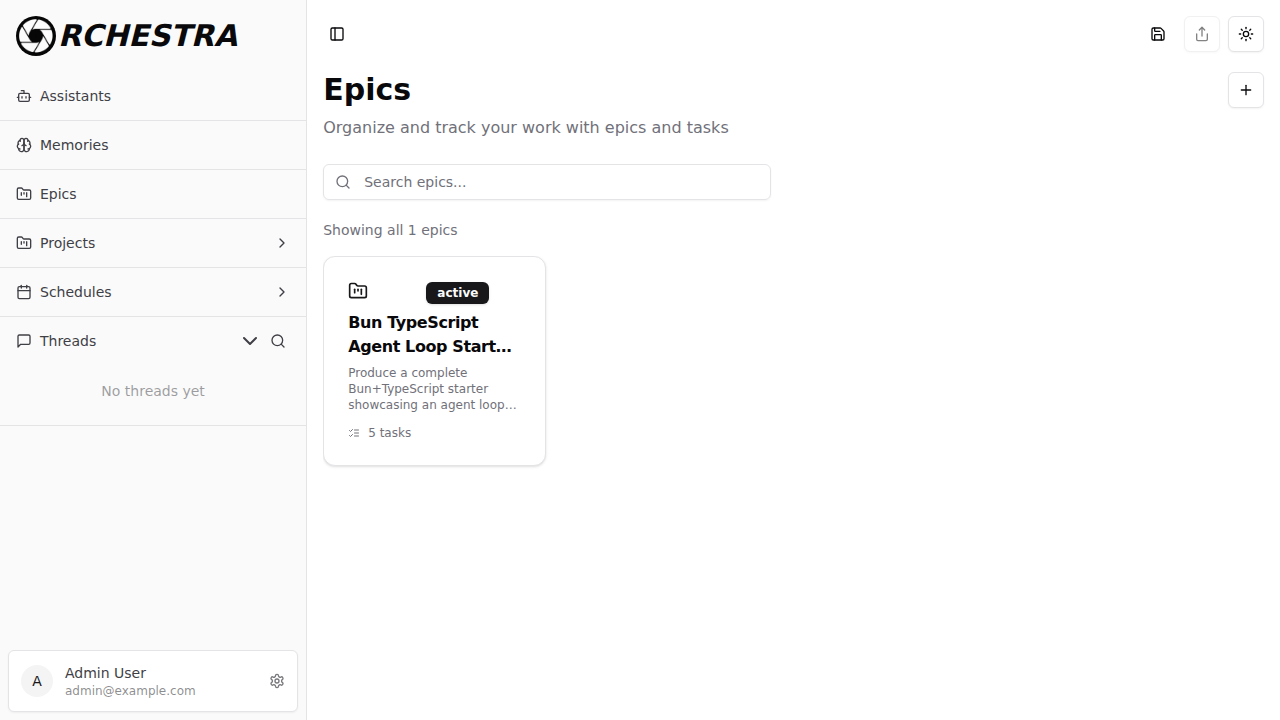
The new epic appears as a card in the grid view showing its title, description preview, status badge, and task count.
Managing Tasks
Each epic contains a list of tasks that represent the individual work items needed to complete the initiative.
Viewing Tasks
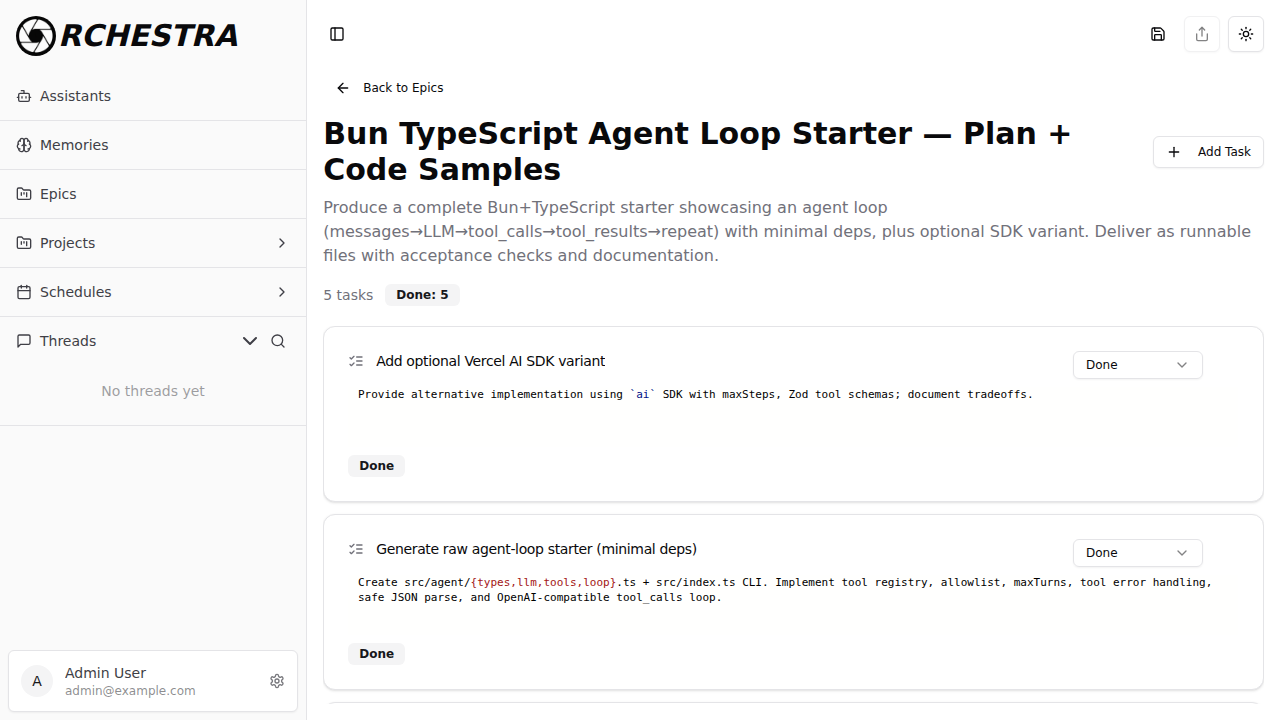
Click on an epic card to open the detail view. You'll see:
- The epic title and full description
- A task summary showing total tasks and completion count
- Each task with its title, description, current status, and a delete button
- An Add Task button to create new tasks
Task Statuses
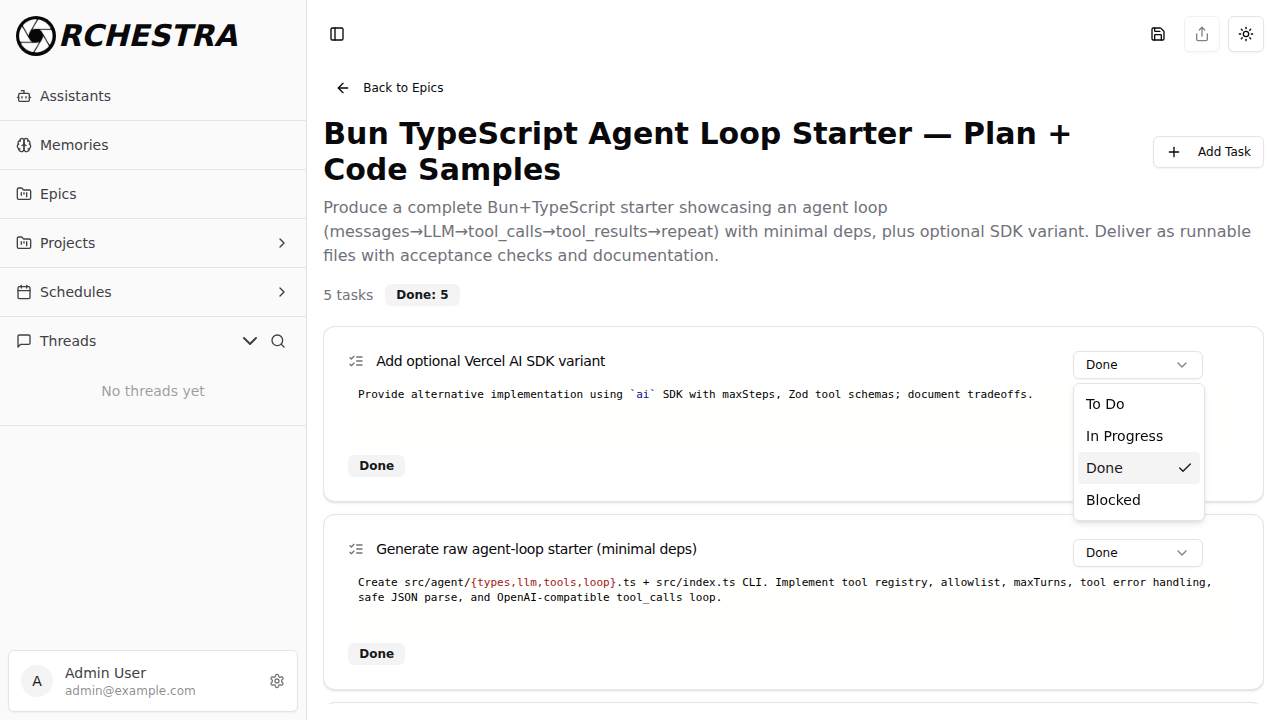
Each task has a status dropdown with four options:
- To Do — task has not been started
- In Progress — task is currently being worked on
- Done — task is complete
- Blocked — task is waiting on a dependency or issue
Click the status dropdown on any task to change its status. The epic's progress summary updates automatically.
Adding Tasks
- Open an epic by clicking its card
- Click Add Task in the top-right corner
- Enter the task title and description
- The task is created with a default status of To Do
Deleting Tasks
Click the trash icon next to a task's status dropdown to remove it from the epic.
Deleting Epics
From the grid view, click the trash icon on an epic card to delete it and all its associated tasks.
Deleting an epic permanently removes it and all of its tasks. This action cannot be undone.
Related Documentation
- Assistants: Create agents to work on epic tasks
- Projects: Organize conversations into workspaces
- Schedules: Automate recurring work
Next Steps: Create an epic to plan your next feature, then break it down into trackable tasks!